Meet Scrapper.
What does Scrapper has?
Seamless Organization: The Intelligent Sidebar
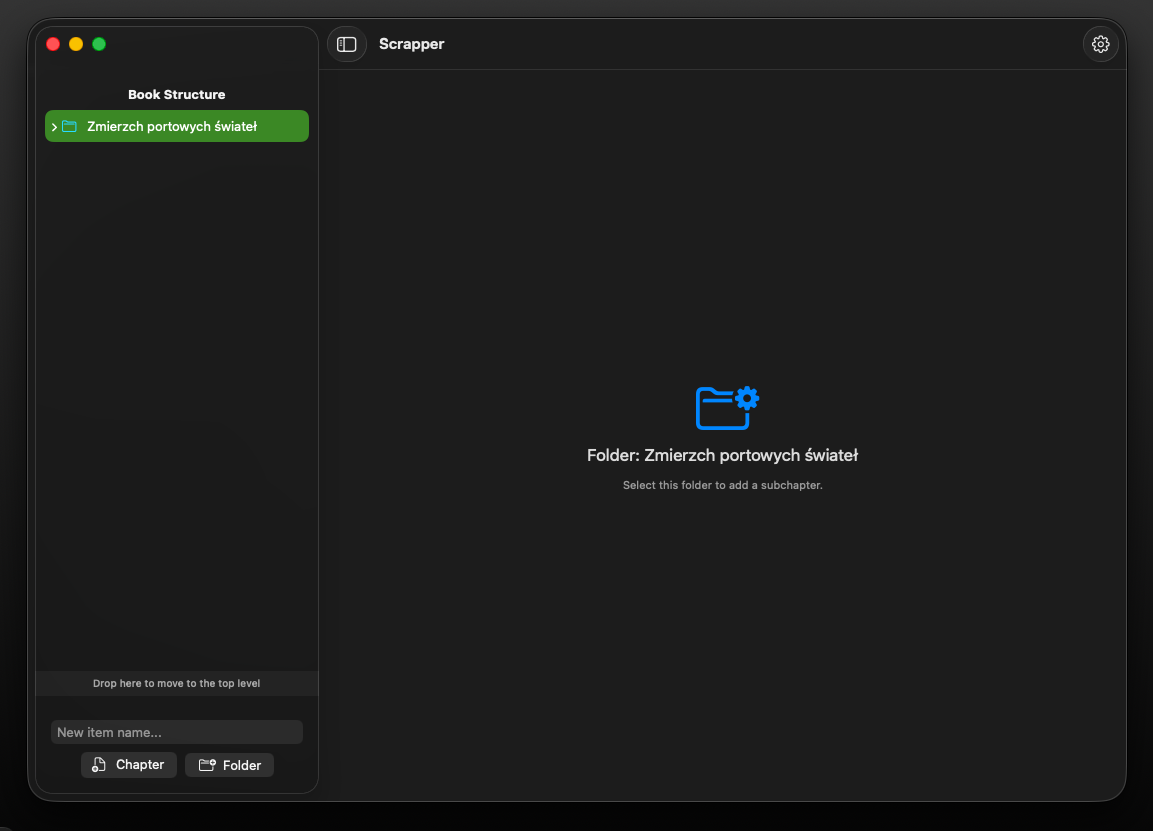
At the heart of the application is a robust, intuitive file management system. The sidebar allows you to effortlessly structure your writing project with a folder-based hierarchy. You can create, rename, and organize your chapters or research notes with simple drag-and-drop actions. Whether your book is a collection of short stories or a long-form novel, the persistent sidebar ensures you always have a bird’s-eye view of your work, making navigation between sections instantaneous.
What is Scrapper?
Powerful Rich-Text Editor: Write Without Limits
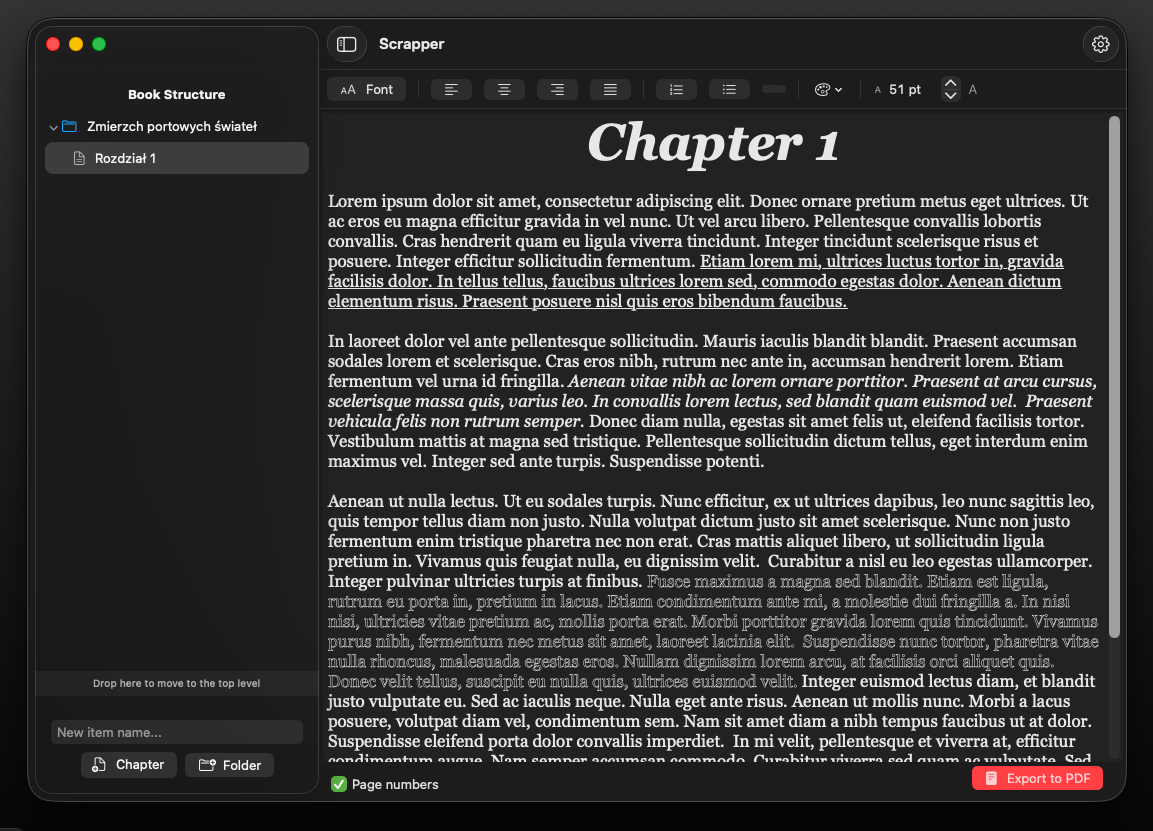
Unleash your creativity with a feature-rich editor designed for focused writing. Our editor goes beyond basic text entry, offering full control over your formatting: choose your preferred font, adjust sizes, and utilize professional tools like text justification and bulleted or numbered lists. Designed to handle complex layouts, the editor ensures your text looks exactly as you intend. Plus, with integrated PDF exporting, your finished manuscript is always just one click away from being shared with the world.
What Scrapper offer?
Personalized Workspace & Settings
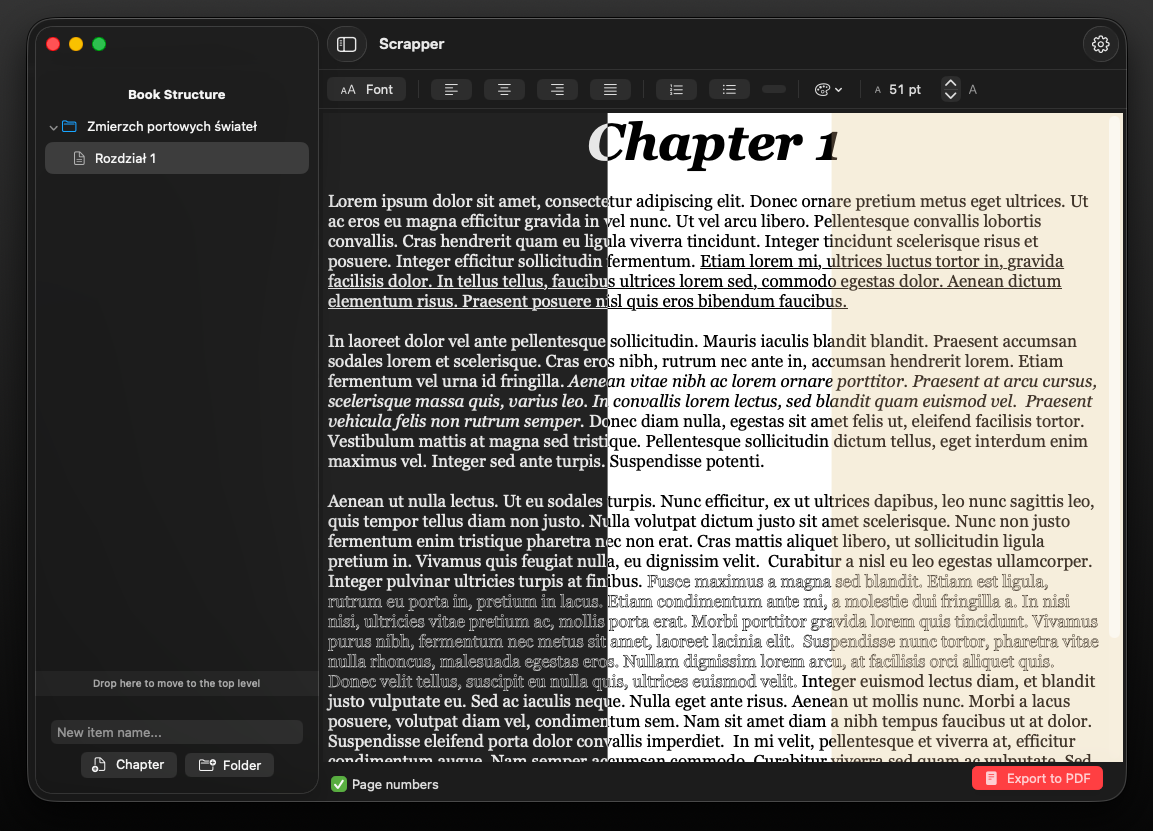
Your writing environment should be as unique as your voice. Customize your workspace with three distinct visual themes—Classic White, Eye-Friendly Dark Mode, and a tactile Paper-inspired theme to reduce eye strain during long writing sessions. From the initial welcome screen, where you set your name and language preferences (English or Polish), to the comprehensive settings menu, every detail is tailored to provide a distraction-free experience that adapts to your workflow.
Using tags.
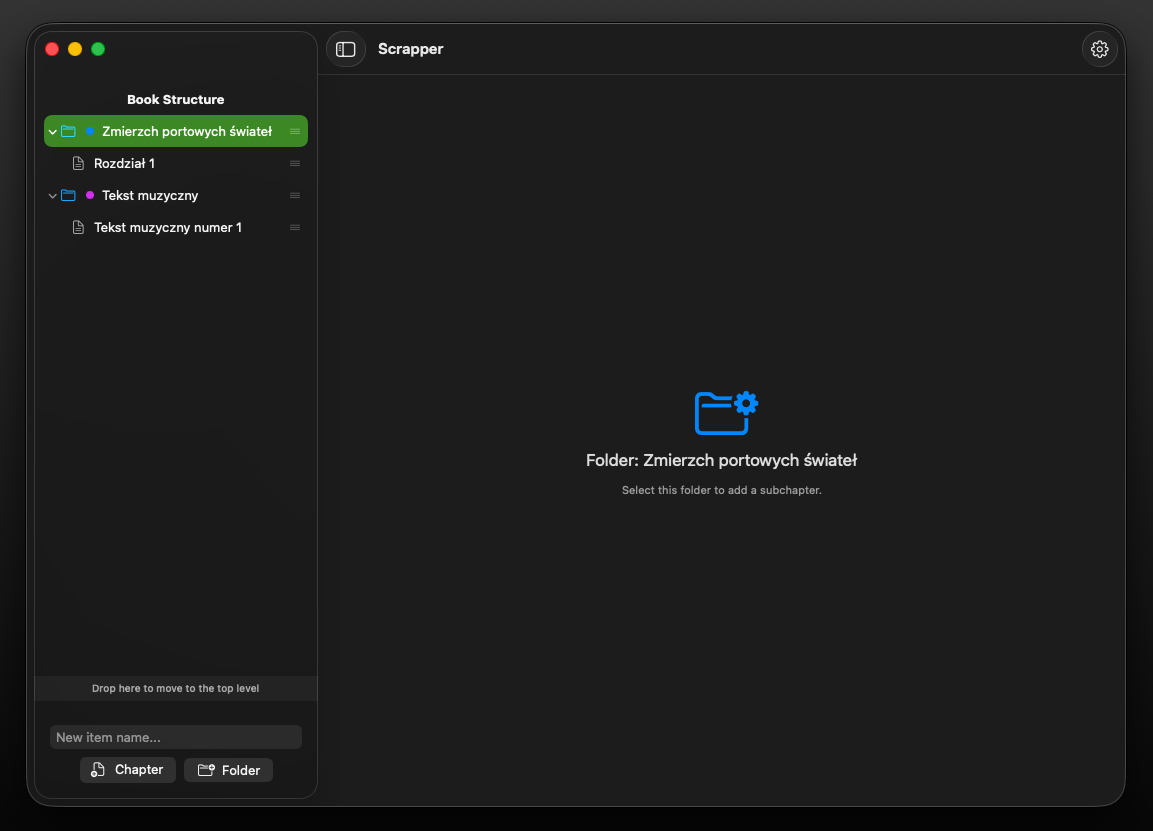
Tag your texts.
Great writing demands meticulous order. With the introduction of tags, Scrapper lets you seamlessly categorize your creative output and separate different disciplines within a single, elegant sidebar. Whether you are drafting a sprawling novel, capturing a fleeting note, structuring a emotional song lyric, or polishing a short story, tags ensure that every piece of your work has its dedicated place. It’s not just organization; it’s a clearer mind for your next blank page.
Find. Filter. Focus.
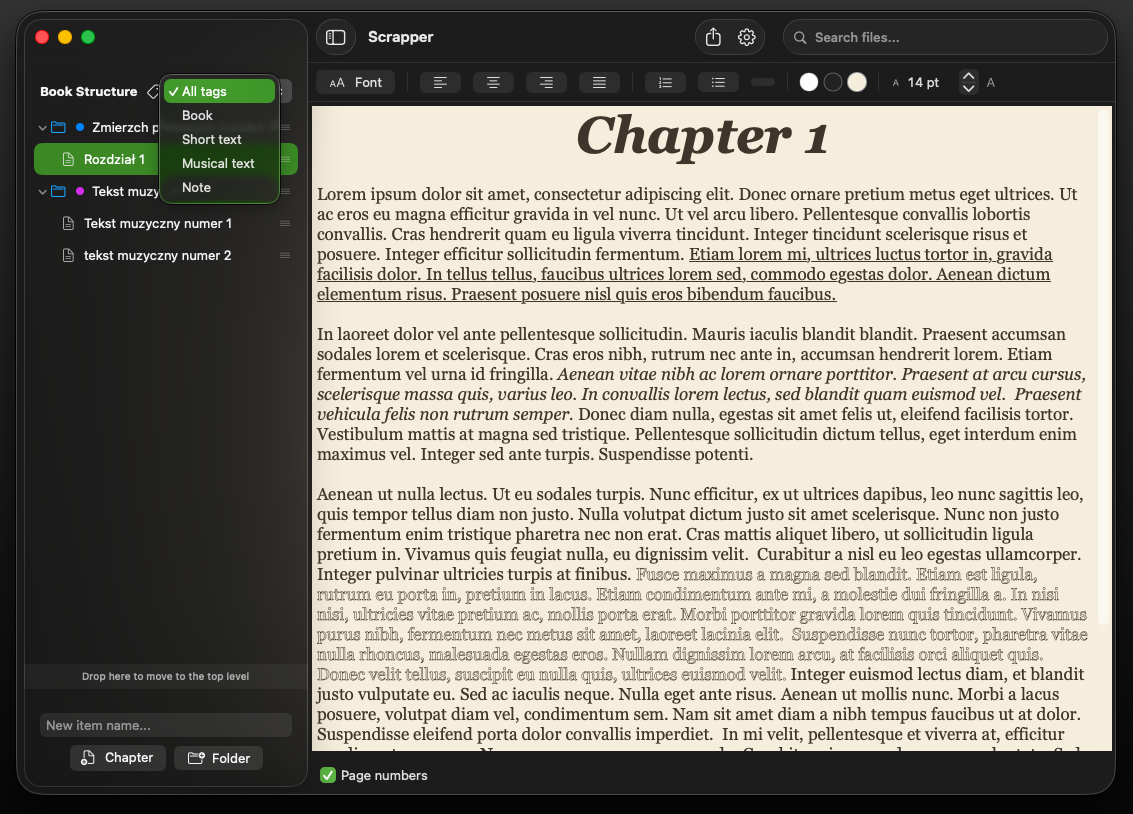
Filter your documents.
As your body of work grows, your digital archive shouldn't become a distraction. Scrapper introduces an intuitive search bar that works in absolute harmony with your custom folder tags. Whether you need to instantly summon a fleeting note, pull up all your song lyrics, or filter your workspace to display only the active chapters of your book, finding your words takes a fraction of a second. No cluttered menus, no lost files—just instant access to your thoughts so you can keep your creative momentum unbroken.
Everything in its rightful place.
Be ready for writing purely.
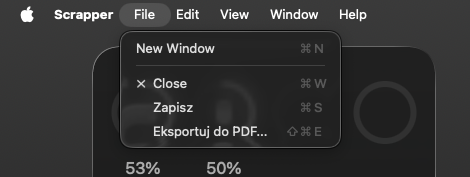
To protect your creative focus, we have decluttered the main canvas by relocating the Save and Export actions. Now neatly organized under the File menu at the top of your screen, these essential functions remain effortlessly accessible whenever you are ready to archive or share your work. By moving utility controls out of sight, Scrapper leaves you with nothing but a beautifully clean environment dedicated entirely to the art of writing.